


Page 546 - Manual_Polaris_RZR_ProXP-20-21
P. 546
ELECTRICAL

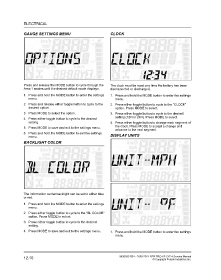
                GAUGE SETTINGS MENU                                  CLOCK


                Press and release the MODE button to cycle through the  The clock must be reset any time the battery has been
                Area 1 modes until the desired default mode displays.  disconnected or discharged.
                1. Press and hold the MODE button to enter the settings  1. Press and hold the MODE button to enter the settings
                   menu.                                                menu.
                2. Press and release either toggle button to cycle to the  2. Press either toggle button to cycle to the “CLOCK”
                   desired option.                                      option. Press MODE to select.
                3. Press MODE to select the option.                  3. Press either toggle button to cycle to the desired
                                                                        setting (12H or 24H). Press MODE to select.
                4. Press either toggle button to cycle to the desired
                   setting.                                          4. Press either toggle button to change each segment of
                                                                        the clock. Press MODE to accept a change and
                5. Press MODE to save and exit to the settings menu.
                                                                        advance to the next segment.
                6. Press and hold the MODE button to exit the settings
                   menu.                                             DISPLAY UNITS
                BACKLIGHT COLOR


                The information center backlight can be set to either blue
                or red.
                1. Press and hold the MODE button to enter the settings
                   menu.
                2. Press either toggle button to cycle to the “BL COLOR”
                   option. Press MODE to select.
                3. Press either toggle button to cycle to the desired
                   setting.

                4. Press MODE to save and exit to the settings menu.  1. Press and hold the MODE button to enter the settings
                                                                        menu.


                12.10                                                      9930583 R01 - 2020-2021 RZR PRO XP / XP 4 Service Manual
                                                                                                © Copyright Polaris Industries Inc.

