


Page 235 - Manual Oficina XP 1000 14-16
P. 235
PVT SYSTEM

                   PVT DISASSEMBLY (2014–2015)                           11. Remove the drive clutch retaining bolt and remove
                   1. Place transmission in neutral.                         the drive clutch using Drive Clutch Puller.

                   2. Raise and support the vehicle.
                                       CAUTION
                      Serious injury may result if machine tips or falls. Be
                     sure machine is secure before beginning this service
                                        procedure.

                   3. Remove the left rear wheel.
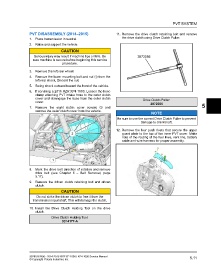
                   4. Remove the lower mounting bolt and nut q from the
                       left rear shock. Discard the nut.

                   5. Swing shock outward toward the front of the vehicle.
                   6. If servicing a 2015 RZR XP4 1000, Loosen the hose
                       clamp attaching PVT intake hose to the outer clutch
                       cover and disengage the hose from the outer clutch                 Drive Clutch Puller:
                       cover.
                                                                                              2872085
                   7. Remove the eight clutch cover screws w and                                                              5
                       remove the outer clutch cover from the vehicle.
                                                                                               NOTE
                                                                          Be sure to use the correct Drive Clutch Puller to prevent
                                                                                        damage to crankshaft.

                                                                         12. Remove the four push rivets that secure the upper
                                                                             guard plate to the top of the inner PVT cover. Make
                                                                             note of the routing of the fuel lines, vent line, battery
                                                                             cable and wire harness for proper assembly.


                   8. Mark the drive belt direction of rotation and remove
                       drive belt (see Chapter 5 – Belt Removal, page
                       5.17).
                   9. Remove the driven clutch retaining bolt and driven
                       clutch.
                                       CAUTION
                        Do not strike the driven clutch to free it from the
                     transmission input shaft. This will damage the clutch.

                   10. Install the Drive Clutch Holding Tool on the drive
                       clutch.
                                 Drive Clutch Holding Tool:
                                       9314177-A


                   9926816 R06 - 2014-2016 RZR XP 1000 / XP4 1000 Service Manual                                       5.11
                   © Copyright Polaris Industries Inc.

